Updated:
Kate's Tutorial Page
Welcome to my liquid-layout page of CSS happiness! This site is intended to be a reference of all the tips and tricks I find while learning web design. What is CSS? Well, think of HTML as the structure and content of a web page and the CSS as the way to style it. Want two columns? Use CSS to arrange your HTML. Want blue font in your third paragraph? Use CSS to describe how you want the third paragraph to look. View this page's CSS.
Color scheme I'd like to use:
(1) #ED5A79, (2) #E8B36D, (3) #73B769, (4) #FFCB18, (5) #28A3C2 and text as (6) #385A6B
TopStuff found in the CSS:
- Proper xhtml header (in HTML)
- External style sheet link (in HTML)
- Liquid layout
- Floating div (contents box & intro)
- Link style properties
- :First-letter and :first-line style (intro paragraph)
- Clear floats (mini-headers)
- Absolute positioning for images
- Quote css
Websites I like:
- My Website
- Validate your page at W3C's Markup Validation Page
- Go to FireFTP to download Firefox's free FTP software. Upload your pages from anywhere!
- Button Designer! Way cool way to instantly see changes to a button's css.
- Microsoft's Office Online Clip Art and Barry's Clip Art
- CSS Zen Garden. Like, duh.
- Need some color inspiration? Color Schemer can help.
- A List Apart Great info, requires concentration
- Alertbox Great info, easy to read
- RGB Color Calculator Fantastic site that calculates hex codes from RGB values and more.
- Dynamic Drive Favicon generator
- Okay, it's a book, but still a great reference: CSS: The Missing Manual
Vertical Navigation:
Pay close attention to the area of the button that is clickable in IE. This implements the *html hack to keep IE6 and earlier behaving. Under normal circumstances only the text in the button is a link, but with the *html hack the whole colored bar in IE6 is a link. The hack in question is: * html a { height: 1px; }. According to CSS: The Missing Manual, "The style declaration itself is nonsense: It attempts to set the height of the link to 1 pixel, something that IE ignores, but which forces that browser to see the background of the button as part of the link." Word, yo.
Top16 Standard Windows Color Names:
Black, White, Red, Green, Blue, Yellow, Magenta, Cyan, Purple, Gray, Lime, Maroon, Navy, Olive, Silver, Teal.
TopPop-Up Photo Gallery:
A photo gallery is one use for this incredibly professional looking yet very easy bit of CSS code. All images are loaded when the page loads so images pop instantly when rolled over - no waiting and no JavaScript!
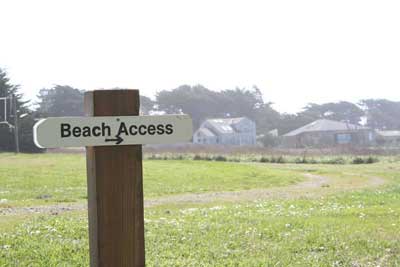
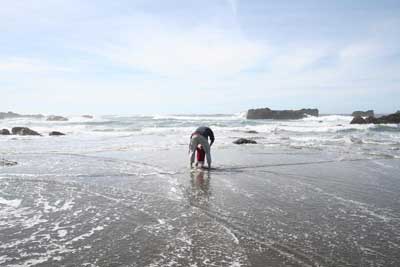
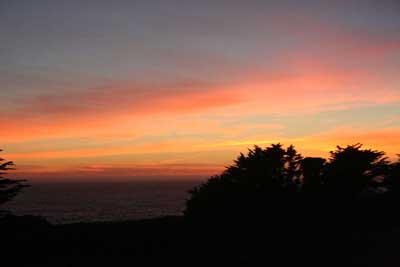
The pop-up effect can be used with text, too! For example:
Top
The JavaScript included on this page is at the very top showing when this page has been last modified. It's magic! The rest of my examples will be on their own JavaScript page to keep it all in one place and to keep this page from getting too busy.
TopPlaying with the Font:
Font Variants: "Small caps" -> Small caps.
Text Transform: "Uppercase" -> Uppercase;
"LOWERcase" -> LOWERcase;
"capitalize" -> capitalize.
Look, Ma! I blink! (Not functioning in IE6. Originally the whole word blinked, but it got too annoying, so now it's just the exclamation mark...)
Acronyms and abbreviations (and a helper box!)
This CSS is an acronym
This...
This is an ABBR. (Not functioning in IE6)
Tables and Specificity Points in one!
Here's a table showing CSS specificity points:
| Selector | id | class | tag | total |
|---|---|---|---|---|
| p | 0 | 0 | 1 | 1 |
| .byline | 0 | 1 | 0 | 10 |
| p.byline | 0 | 1 | 1 | 11 |
| #banner | 1 | 0 | 0 | 100 |
| #banner p | 1 | 0 | 0 | 101 |
| #banner .byline | 1 | 1 | 0 | 110 |
| a:link | 0 | 1 | 1 | 11 |
| p:first-line | 0 | 0 | 2 | 2 |
| h2 strong | 0 | 0 | 2 | 2 |
| #wrapper #content .byline a:hover | 2 | 2 | 1 | 221 |
     This is an example of a table with "preserved" spaces:

Day:   Column1  Column2  Column3  Column 4
Monday    x                 x
Wed       x        x                 x
Friday                               x
Top
Questions and comments:
- Questions:
- Why do my website links have different colors between IE and Firefox? Duh. It's because I have visited all the sites in Firefox but never use IE, so they're all unvisited in IE and visited in Firefox.
- Okay, here's a question: why, whenever I create a link in the Table of Contents box it always shows up immediately as visited in IE? Well, look at that. When I look at the page online (as opposed to from a file on my computer) it behaves just fine. Damn IE.
- Why doesn't my cleared link below the navigation section actually clear the divs in Firefox? An a tag by default is display:inline - changing the css for class .clearboth to clear:both as well as display:block fixed the problem!
- To Do:
- Change link colors. I'm tired of unvisited links being in orange - I can't read them so well.
- Go to laptop and reload banner.html (Accidentally erased it...) I'm over it. My skillz are way beyond that old thing now. The navigation section shows what that example showed - proper link css.
- Comments:
- The * html hack is fantasticating. That's sort of a cross between fantastic, fascinating and intoxicating. It helps keep the infuriating IE 6 in check. I can't wait to apply it to my pages! I can see clearly now the rain is gone.
- I'm digging Dreamweaver in a big way. I write all the code just like when I was using Notepad, but it's nice to see a mock-up right underneath and to easily go between IE and Firefox. And having line numbers and color-coded code is great!